Raft is one of the most beloved survival, open-world, crafting, and adventure games around. The joy in gathering items and building up your raft as you float around the open seas is quite fun. The game does not offer any creative mode, so you have to manually gather resources, which can take a long time. Don’t worry, we’ll show you a nice little trick on what you can do to get those resources much faster, and that is by doing the duplication trick.
How the duplication works
To give you an idea, you need to do the following things listed below. The steps involve putting your items in a storage unit, saving the game, and loading the game through a different save file, and you’re done.
STEP 1: Store the items that you want
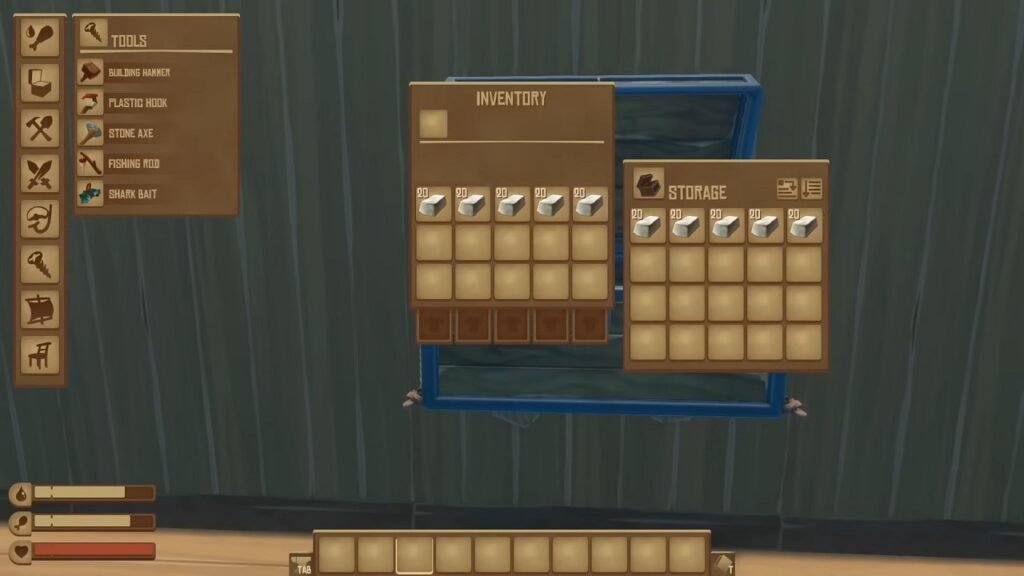
Just store any item you want to duplicate in any storage. It can be as many as you want, but it also has to fit your backpack capacity.
STEP 2: Save the game
It’s just as it says, save the game.
STEP 3: Take the items out
Take the items that you want to duplicate. If your backpack can’t handle all the items, then whatever is left in the storage cannot be duplicated.
STEP 4: Exit and save
Exit the game and save it when the prompt asks.
STEP 5: Load the previous save file
Before you load the save file, head to world backups. This is where you need to load the second file (not the one on top) from the section. Do not load the first one because the trick won’t work.
STEP 6: Items should be duplicated
When you successfully do everything, the items should be in your storage, but at the same time, the items in your backpack (the ones you took out before exiting) should also be there. Now, you’ve managed to duplicate things with relative ease.